Sharing Access
Invite family members or advisors with read-only or full access to your wallet documentation.
Why Share Access?
Sharing access to your wallet documentation is essential for inheritance planning and emergency situations:
- Inheritance: Ensure your family can access your crypto if something happens to you
- Trusted advisors: Give your attorney or financial advisor visibility into your holdings
- Backup operators: Allow a trusted person to verify wallets on your behalf
- Family management: Jointly manage family crypto holdings
Note: Sharing access is available on every plan. Personal Backup includes 1 shared user, Recovery includes up to 2, and Legacy includes up to 5. Shared users decrypt your data with their own keys — your master password is never exposed.
Access Levels
You can grant two levels of access to invited users:
Read Only
Can view all wallet and backup information but cannot make changes. Ideal for inheritance planning or advisor oversight.
Read & Write
Can view and edit wallet and backup information. Useful for jointly managing family holdings or delegating management.
Inviting a User
To share access with someone:
- Open More ▸ People & Access
- Click Invite User
- Enter their email address
- Select the access level: Read Only or Read & Write. (Inheritance is also offered here; see the Inheritance Planning guide.)
- Click Send Invitation
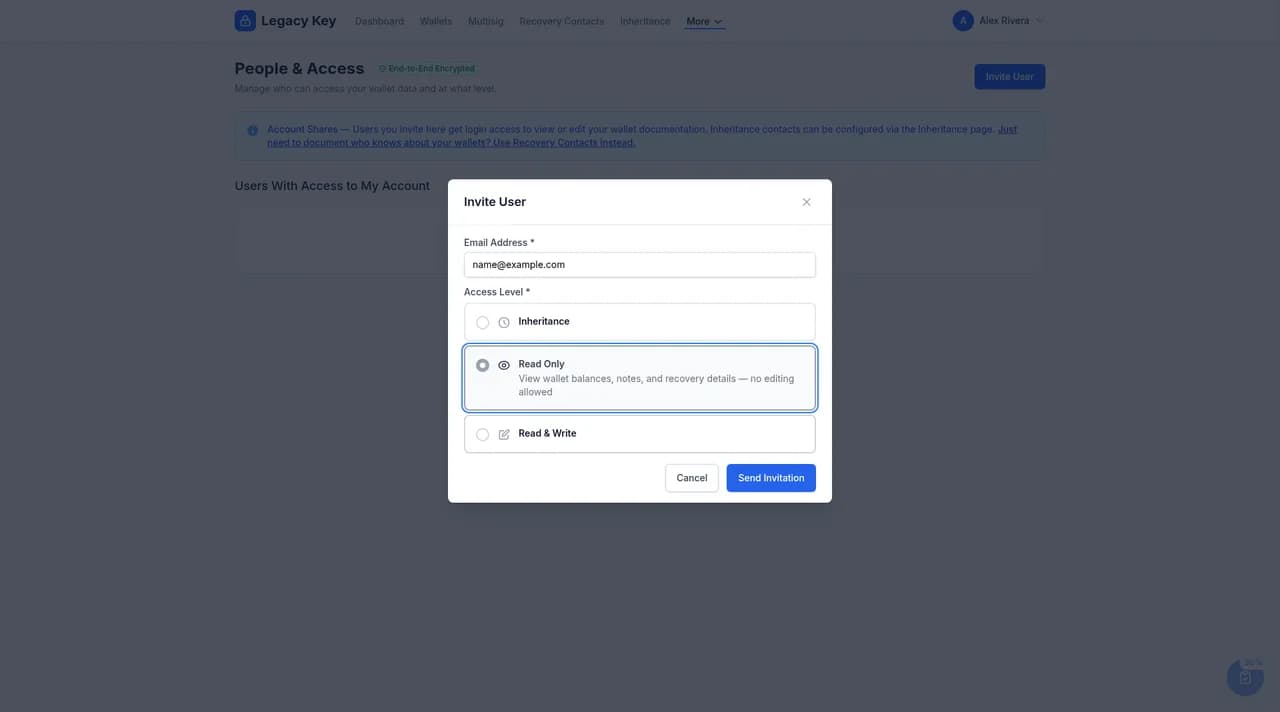
Invitation Process
The invited user will receive an email with a link to:
- Create a Legacy Key account (if they don't have one)
- Accept the invitation to access your wallet documentation
- Set up their own two-factor authentication
Until someone accepts, their invitation shows as Pending on People & Access. Select Revoke to cancel it.
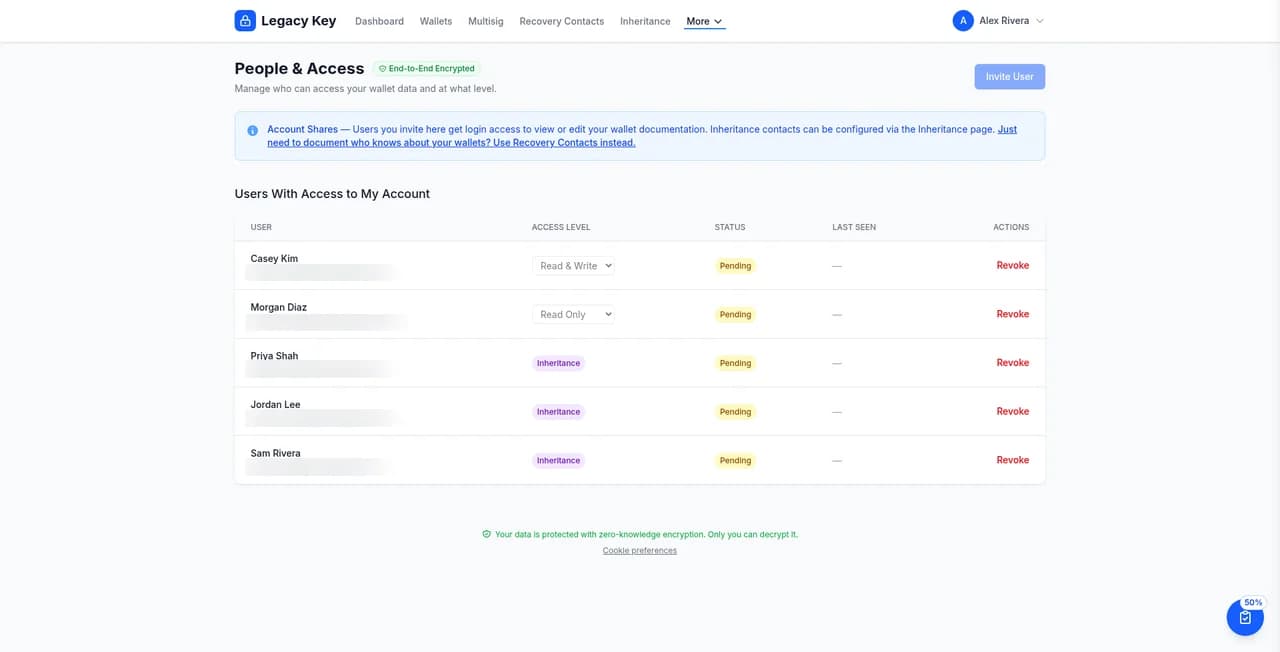
Managing Shared Users
Once users accept your invitation, you can manage their access:
- Change access level: Upgrade from Read Only to Read & Write or downgrade
- View activity: See when they last accessed your documentation
- Revoke access: Immediately remove their access if needed
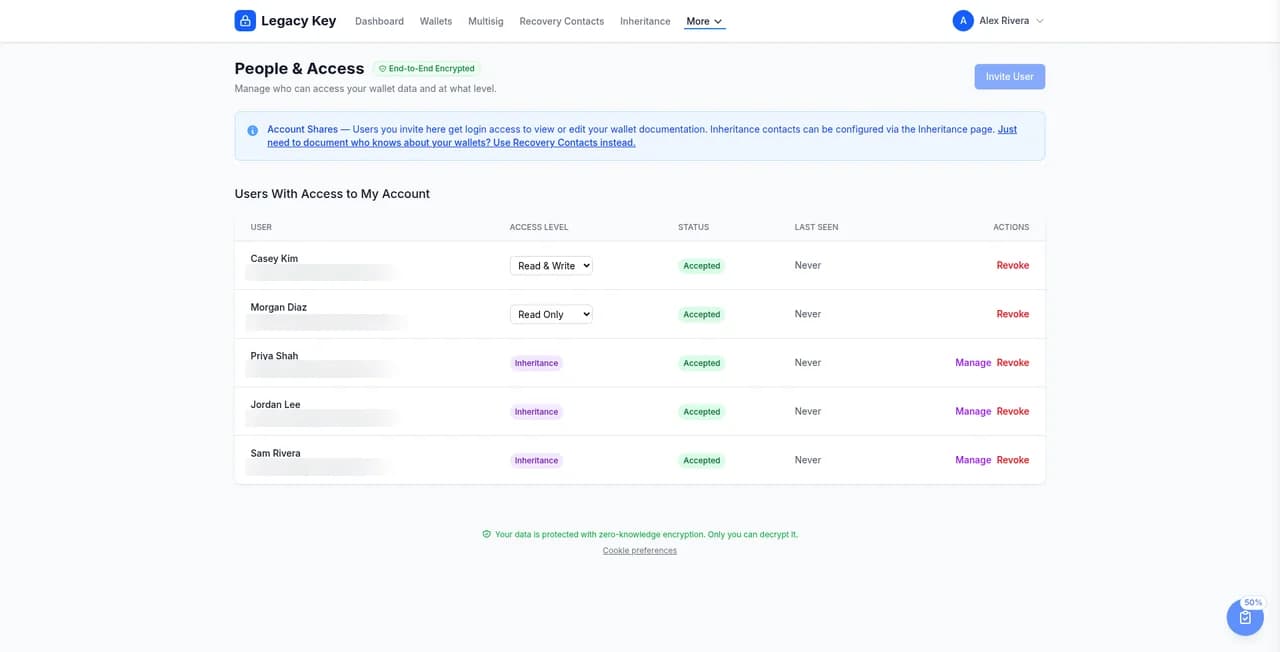
What Shared Users Can See
Shared users can see the same information you can:
- All wallet details (names, models, serial numbers)
- All backup locations and descriptions
- Verification history and status
- Notes and instructions
They cannot see or change:
- Your account settings or billing
- Your other shared users (only account owner can manage sharing)
- Export data or generate Emergency Access Documents (owner only)
How Sharing Works Under the Hood
Sharing is end-to-end encrypted. When you invite someone, your symmetric encryption key is wrapped with that user's RSA-4096 public key — only the invited user's browser can unwrap it after they sign in. Our servers never see a usable key, even momentarily.
Revoking a shared user is also cryptographic: their wrapped key is destroyed server-side so they can no longer decrypt new ciphertext, even if they keep a stale copy of an old API response.
Security Considerations
When sharing access, consider these security practices:
Security Best Practices
- Only share with people you truly trust
- Verify the email address before sending an invitation
- Prefer Read Only access unless editing is necessary
- Periodically review who has access and revoke if no longer needed
- Inform shared users about the sensitivity of this information
Inheritance Planning Tips
For inheritance purposes, consider this approach:
- Share Read Only access with your spouse, adult children, or attorney
- Generate an Emergency Access Document (covered in the next guide) with clear instructions
- Store the document with your will or estate planning documents
- Brief your trusted contacts so they know what Legacy Key is and how to use it
Next Steps
Now that you've set up sharing, learn how to generate an Emergency Access Document that provides step-by-step instructions for your trusted contacts.