Verification Reminders
Set up periodic health checks to verify your wallets are working and backups are accessible.
Why Verify Regularly?
Hardware wallets and seed backups can fail or become inaccessible over time:
- Devices can malfunction or become damaged
- Batteries may die (for devices with batteries)
- PINs and passphrases can be forgotten
- Paper backups can degrade or become unreadable
- Safe combinations or access credentials may be forgotten
- Firmware may need security updates
Regular verification ensures you catch these issues before they become emergencies. We recommend verifying each wallet at least every 90 days.
Setting Up Verification Reminders
To set up a verification reminder for a wallet:
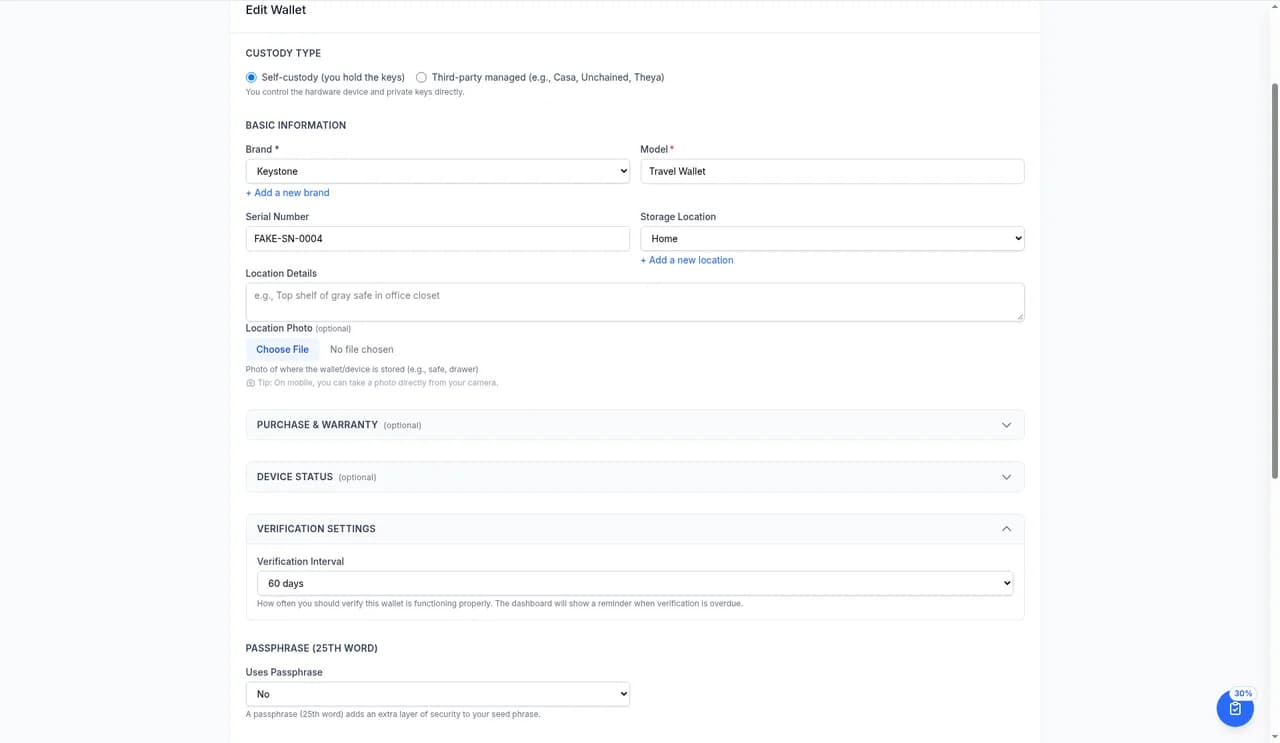
- Open the wallet and select Edit.
- In Verification Settings, choose a Verification Interval: 30 days (High-value), 60 days, 90 days (Default), 180 days (Cold storage), or 1 year.
- Save the wallet.
Email reminders are set once for all wallets in Settings → Email Notifications (see below).
Email Reminder Options
Choose how often you get verification reminder emails in Settings → Email Notifications → Wallet verification reminders. The options are Daily, Weekly (Default), Monthly, and Never.
The Verification Checklist
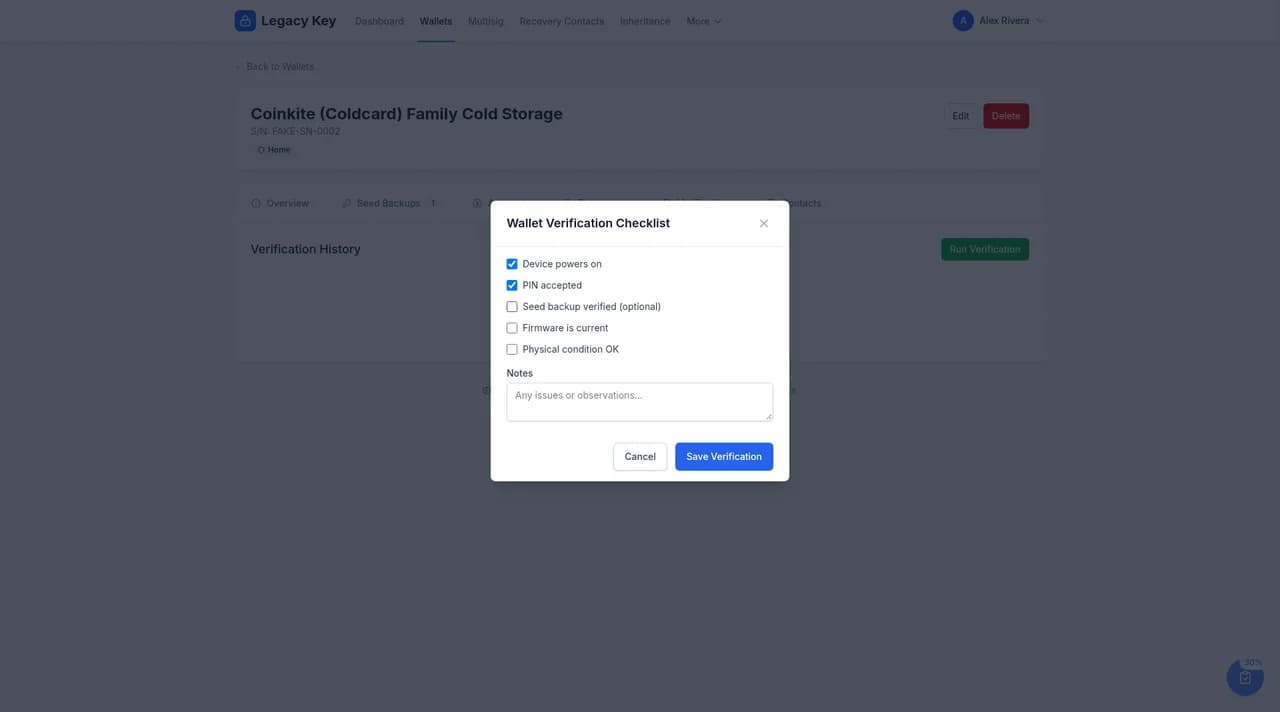
When you verify a wallet, you'll be guided through a checklist:
Verification Checklist
Recording a Verification
Open the wallet's Verifications tab and select Run Verification. Tick each check, add any notes, and select Save Verification. The verification is timestamped and recorded in the wallet's history.
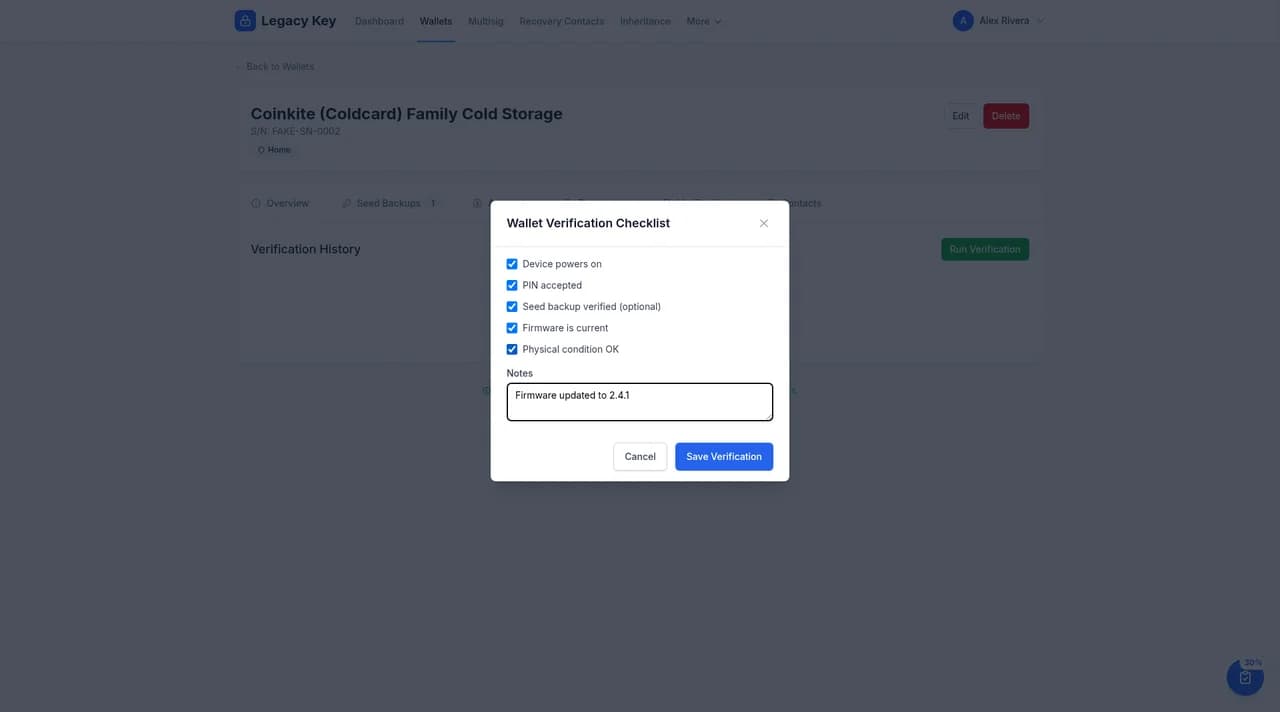
You can also add notes about the verification, such as:
- Issues discovered and resolved
- Firmware version updated to
- Any changes made to backup locations
Verification Dashboard
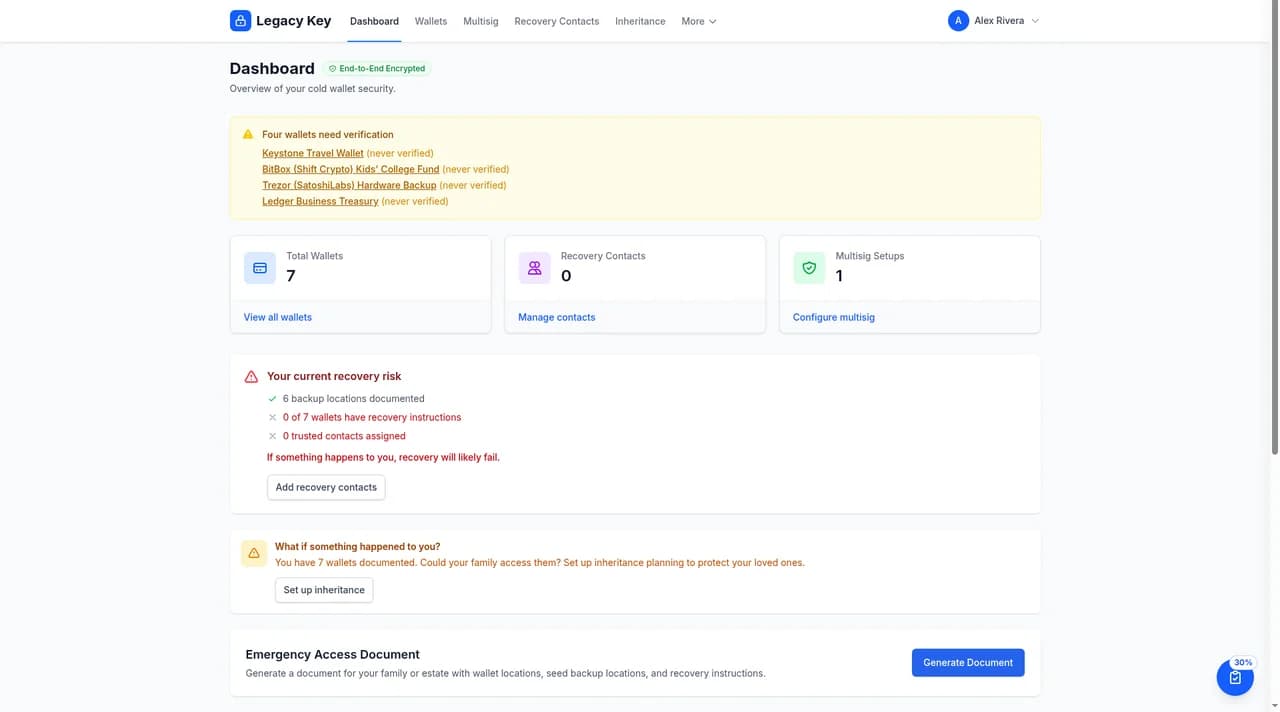
When wallets need attention, the dashboard shows a banner listing them, for example wallets that have never been verified.
Verification History
Each wallet maintains a complete verification history showing:
- Date and time of each verification
- Which checklist items were confirmed
- Notes added during verification
- Who performed the verification (useful for shared accounts)
This history is valuable for demonstrating due diligence and tracking the health of your wallets over time.
Pro Tip: Schedule a recurring calendar event alongside your Legacy Key reminders. When the reminder arrives, block off 30 minutes to physically verify each wallet.
Next Steps
With verification reminders set up, your wallet documentation is in great shape. Next, learn how to share access with family members or advisors for inheritance planning.