Backup Locations
Document where your seed phrase backups are stored with descriptions and access instructions.
Why Document Backup Locations?
Your seed phrase backups are the key to recovering your cryptocurrency if your hardware wallet is lost, stolen, or damaged. Documenting their locations helps you:
- Remember where each backup is stored
- Ensure backups are distributed across multiple secure locations
- Provide clear instructions for inheritance planning
- Verify backups are still accessible during health checks
Remember: Legacy Key stores where your backups are located, never the seed phrases themselves. Your actual seeds should remain offline and secure.
Adding a Backup Location
Open More ▸ Locations and select Add Location.
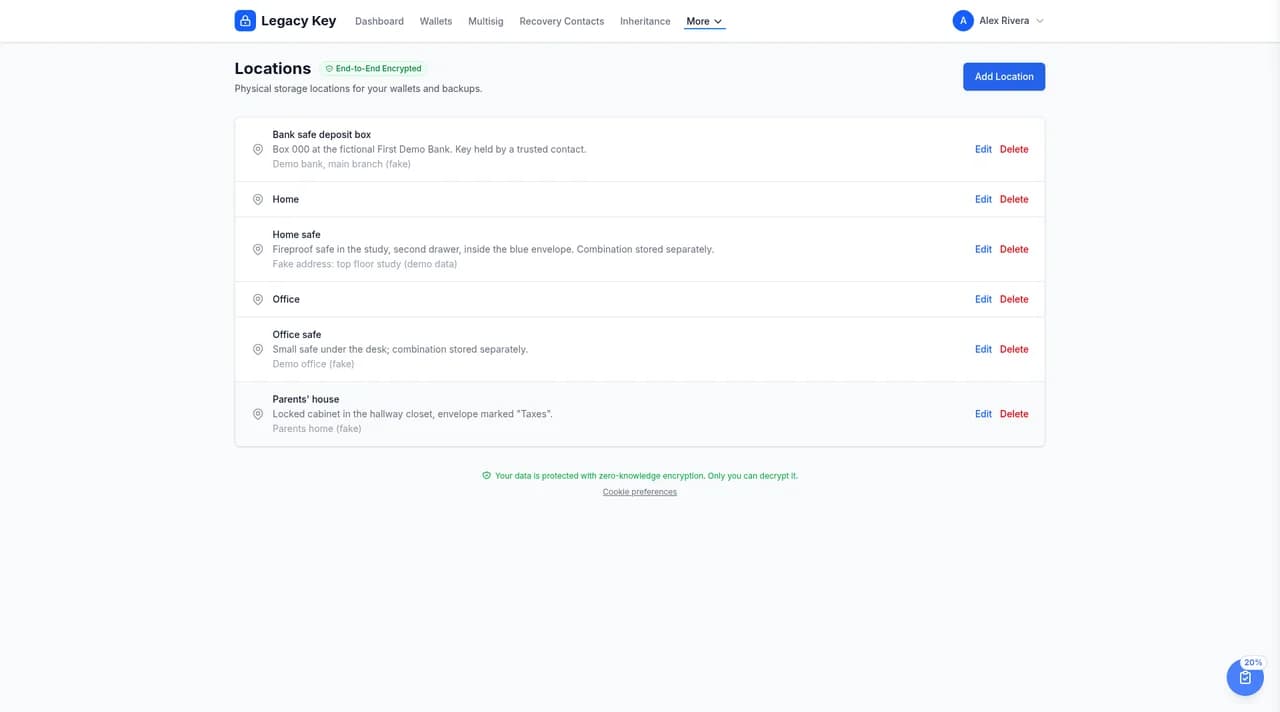
Your locations are listed with their name, description, and address.
Location Details (Encrypted)
All location information is encrypted in your browser before storage:
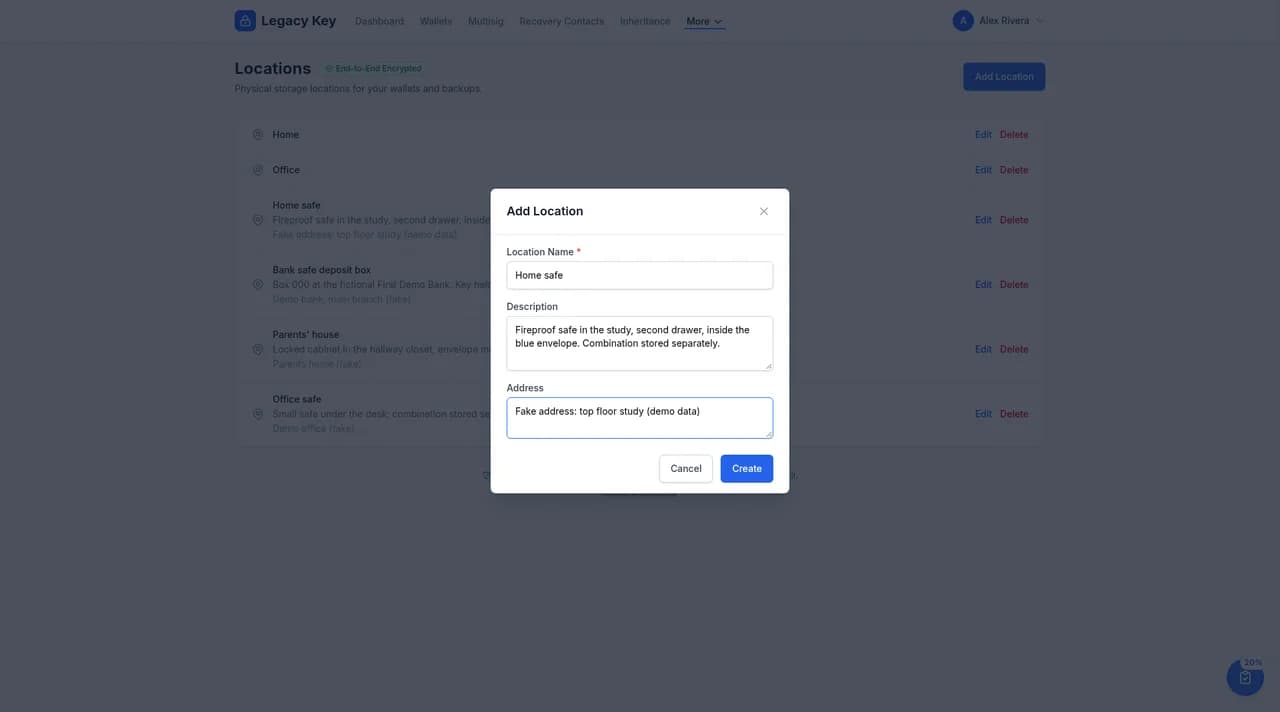
- Location Name: A descriptive name (e.g., "Home Safe", "Bank Safe Deposit Box", "Parent's House")
- Address (optional): The physical street address — useful when inheritance contacts need to locate a bank branch or someone else's home
- Description: Free-form notes covering both where the backup sits inside the location and how to actually get to it. Combine the two — for example: "In the fireproof safe, second drawer, inside the blue envelope. Safe combination is stored in 1Password under ‘Home Safe’."
Tip: Write the description as though you were leaving instructions for someone who has never been there. Include landmarks, combinations or keys (stored separately), and any caveats your trusted contacts would need to know.
Linking to Wallets
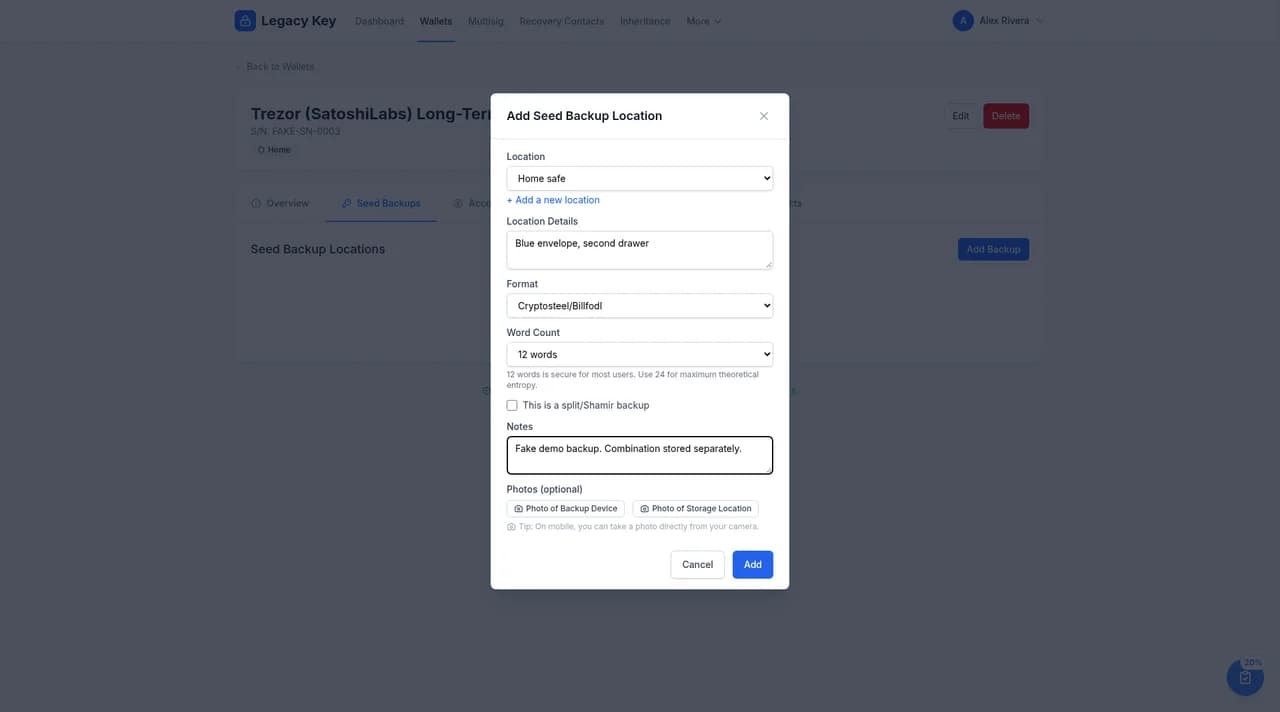
Backups are linked from each wallet. Open the wallet, go to its Seed Backups tab, and select Add Backup. Choose the Location, add details (for example, which envelope or drawer), and record the backup's Format and Word Count, plus whether it's a split/Shamir backup. A single location can hold backups for several wallets, and a wallet's seed can be backed up in several locations.
Best Practices for Backup Storage
Consider these security practices when storing your seed phrase backups:
Geographic Distribution
Store backups in multiple physical locations to protect against localized disasters (fire, flood, theft):
- Home safe or secure location
- Bank safe deposit box
- Trusted family member's home
- Secure storage facility
Physical Security
- Use fireproof and waterproof containers
- Consider metal seed storage (steel plates) for durability
- Store in locked containers or safes
- Avoid obvious labeling that indicates crypto storage
Access Control
- Limit who knows about backup locations
- For shared locations, consider using Shamir's Secret Sharing
- Document access procedures for trusted contacts (for inheritance)
Security Tip: Never store your seed phrase digitally (photos, cloud storage, email, etc.). Physical backups on paper or metal are the most secure.
Example Backup Strategy
Here's an example of a robust backup strategy for a single wallet:
Main Bitcoin Wallet Backups
Viewing and Managing Locations
Select Edit or Delete next to any location.
Next Steps
Now that you've documented your backup locations, set up verification reminders to ensure your wallets and backups remain accessible over time.