Recovery Key
Your Recovery Key is the offline backup that lets you regain access to your encrypted data if you ever forget your password.
Why You Need a Recovery Key
Legacy Key uses zero-knowledge encryption, which means your encryption key is derived from your password and never leaves your browser. We physically cannot reset your password and hand back your data — only you can decrypt it.
The Recovery Key is the escape hatch. It's a high-entropy code generated locally during signup that can re-derive your encryption key if you ever forget your password. Without it, a forgotten password means permanent loss of your encrypted wallets, locations, and notes.
Think of it like a hardware-wallet seed phrase. Same trust model: anyone who has it can recover your account, and we have no way to help you if you lose it.
What It Looks Like
Your Recovery Key is a Crockford Base32 code in the format:
LK-XXXXXX-XXXXXX-XXXXXX-XXXXXX-XXXXXX
- Prefix:
LK-identifies this as a Legacy Key recovery code - Entropy: 128 bits of cryptographically random data — more than enough that no one can guess it
- Crockford Base32: uses an alphabet that omits confusable characters (
0/O,1/I/L) and tolerates lowercase or accidental confusables when you type it back in
Generating Your Recovery Key
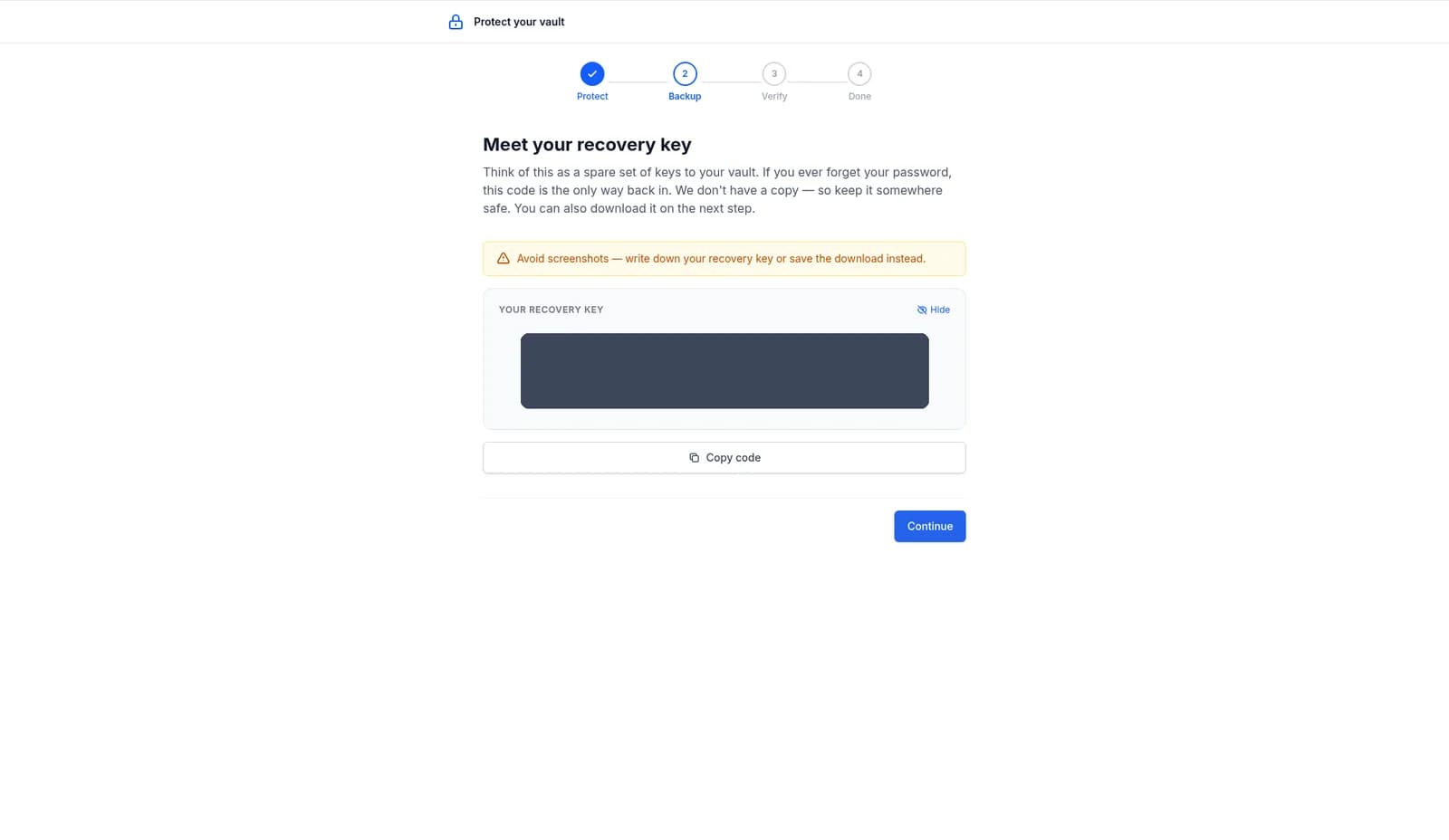
You'll be prompted to generate your Recovery Key during initial account setup, right after your master password is set. The flow runs entirely in your browser:
- The code is generated client-side from your browser's secure random source
- It's shown to you exactly once, alongside a downloadable PDF
- You confirm you've saved it by retyping a portion of the code
- Only then are the matching server-side wrappers stored, completing setup
How to Store It
Treat your Recovery Key with the same seriousness as a 24-word seed phrase. The right storage is offline, durable, and separated from your password.
Good
- Printed PDF stored in a home safe
- Stamped on a metal backup plate
- Sealed envelope in a safe-deposit box
- Inside an offline password manager that you don't sync to the cloud
Avoid
- Email, screenshots, or messaging apps
- Cloud-synced notes (iCloud, Google Drive, Dropbox)
- The same place you store your master password
- Anywhere with the seed-phrase backups it can recover
Using the Recovery Key
If you forget your password, start the password-reset flow from the sign-in page. After verifying your email, you'll be asked for your Recovery Key. Paste it in (case-insensitive, with or without dashes) and choose a new password. Your encrypted data is automatically re-sealed under the new password so nothing is lost.
One Recovery Key per account. Each Recovery Key is bound to the account it was generated for. You can't use someone else's key to recover your account, and vice versa.
How It Differs From Other Backups
| Backup | Recovers | When you use it |
|---|---|---|
Recovery Key (LK-) | Your full account & encrypted data | You forgot your master password |
| MFA Backup Codes | Two-factor authentication only | You lost your authenticator app |
| Emergency Access Document | Your trusted contacts' access path to your wallets | Inheritance or emergency for someone else |
Rotating Your Recovery Key
If you ever suspect your Recovery Key was exposed (a lost printout, a stolen password manager, a relative who shouldn't have had it), rotate it from Settings → Security. The old code is invalidated immediately and a new LK- code is generated. Re-print and re-store, just like the original.
What If I Lost It?
If your account still has shared users with active access, ask one of them to help you regain visibility into your data — they can decrypt with their own keys. For pure account recovery, though, the Recovery Key is the only cryptographic path back in. We can't reset it for you. This is the deliberate tradeoff for zero-knowledge encryption: only you can decrypt your data, including us.
If you have a Legacy plan with an active inheritance schedule, your trusted contacts can eventually inherit your data via the Dead Man's Switch even if you've lost both your password and Recovery Key. That path is intended for inheritance scenarios, not for routine recovery.
Related Reading
- Security Architecture — full cryptographic detail on how the Recovery Key is derived and stored
- Account Security guide — how to rotate, change password, and review sessions
- Emergency Access Document — the other side of the coin: how trusted contacts find your wallets